
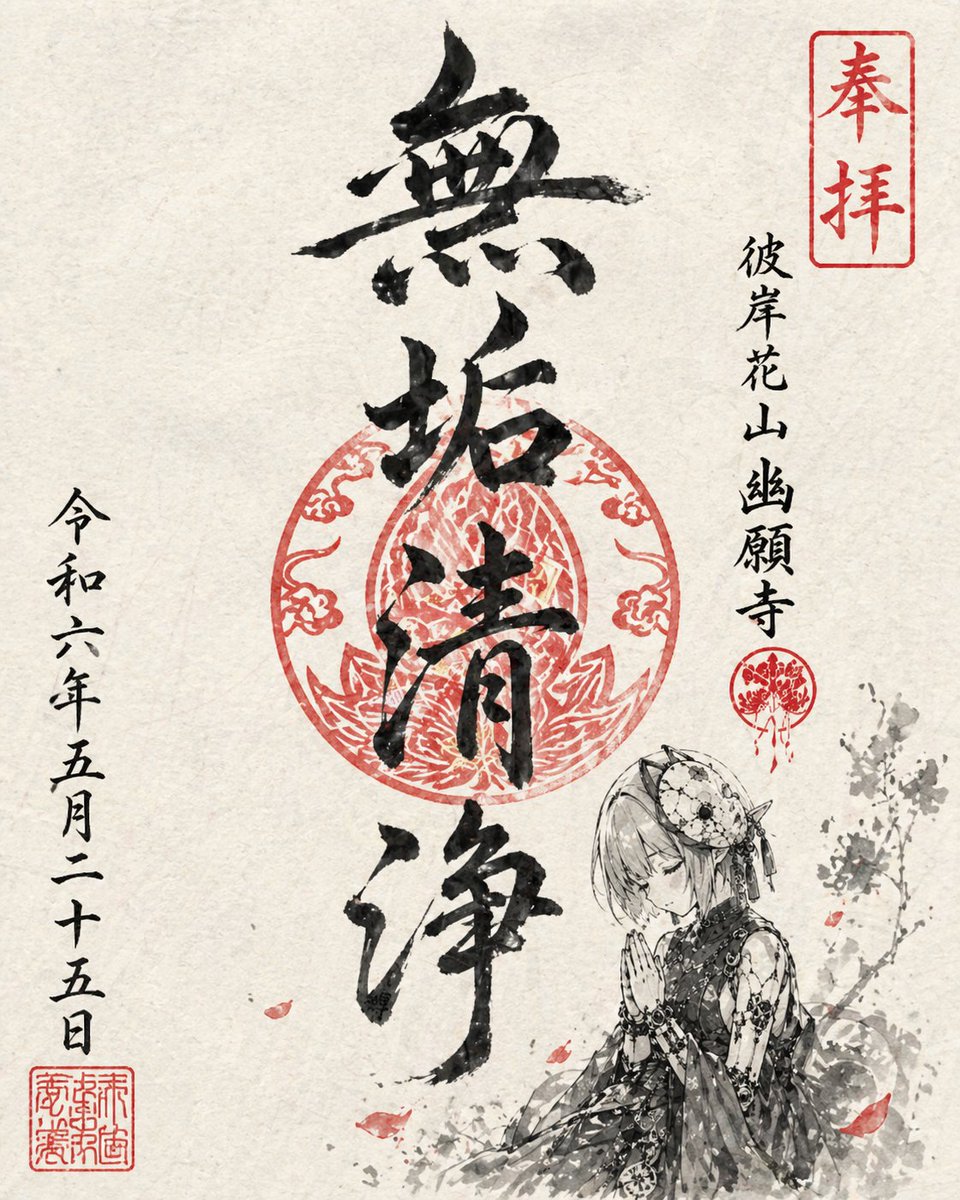
Goshuin Style Character Illustration
A detailed prompt for generating temple-stamp style illustrations using ink-wash textures and a specific black and vermilion color palette.
This ui mockup prompt is a strong starting point when you need a composed GPT Image 2 result with a clear subject, visual structure, and reusable style direction.
Aspect ratio
16:9 or 4:3
Quality pass
High detail
Workflow
Start text-to-image, then rerun with one focused edit at a time.
Full GPT Image 2 prompt
English prompt
Use {argument name="character" default="this character"} to draw a Goshuin-style illustration for a fictional {argument name="temple name" default="temple"}. The overall composition should be simple, emphasizing a washi paper texture. The drawing should use an ink-wash touch like a brush, using only black and vermilion colors. As a Goshuin, include a temple name appropriate for the character, {argument name="number of characters" default="four"} main brushwork characters, and a date. The date should be placed naturally in vertical writing. The character should be small and integrated as part of the Goshuin. The pose should be a calm atmosphere, such as praying or standing quietly. The overall layout should be organized like a real Goshuin, while being unique and impressive.Original prompt
{argument name="キャラクター" default="このキャラクター"}を使って、架空の{argument name="寺の名前" default="寺"}の御朱印風イラストを描く。 全体は和紙の質感を感じるシンプルな構成にする。 描画は筆を使ったような墨絵タッチで表現し、色は黒と朱色のみを使用する。 御朱印として、キャラクターにあった寺の名前、メインの筆文字{argument name="文字数" default="4文字"}、日付を含める。 日付は縦書きで自然に配置する。 キャラクターは小さめに配置し、御朱印の一部として馴染むようにする。 ポーズは祈っている姿や静かな佇まいなど、落ち着いた雰囲気にする。 全体は実在の御朱印のように整ったレイアウトにしつつ、どこか個性的で印象に残るデザインにする。Related GPT Image 2 prompts
VR Headset Exploded View Poster
Generates a high-tech exploded view diagram of a VR headset with detailed component callouts and promotional text.
Illustrated City Food Map
Generates a hand-drawn, watercolor-style tourist map featuring numbered local food specialties, landmarks, and a legend.
E-commerce Live Stream UI Mockup
Generates a realistic social media live stream interface overlaying a portrait, featuring customizable chat messages, gift popups, and a product purchase card.
Knight-Mage Battles Stone Golem
A cinematic fantasy battle scene for generating epic game-style artwork of an armored heroine fighting a giant stone golem in a ruined cathedral.
Censored Elven Adventurers in Medieval Village
Generates a cinematic fantasy scene of two detailed elven adventurers walking through a medieval village with castle backdrop and obscured faces.
Faceless Cyberpunk Infiltrator
Generates a cinematic anime scene of an armed faceless woman infiltrating a high-security futuristic server room.