
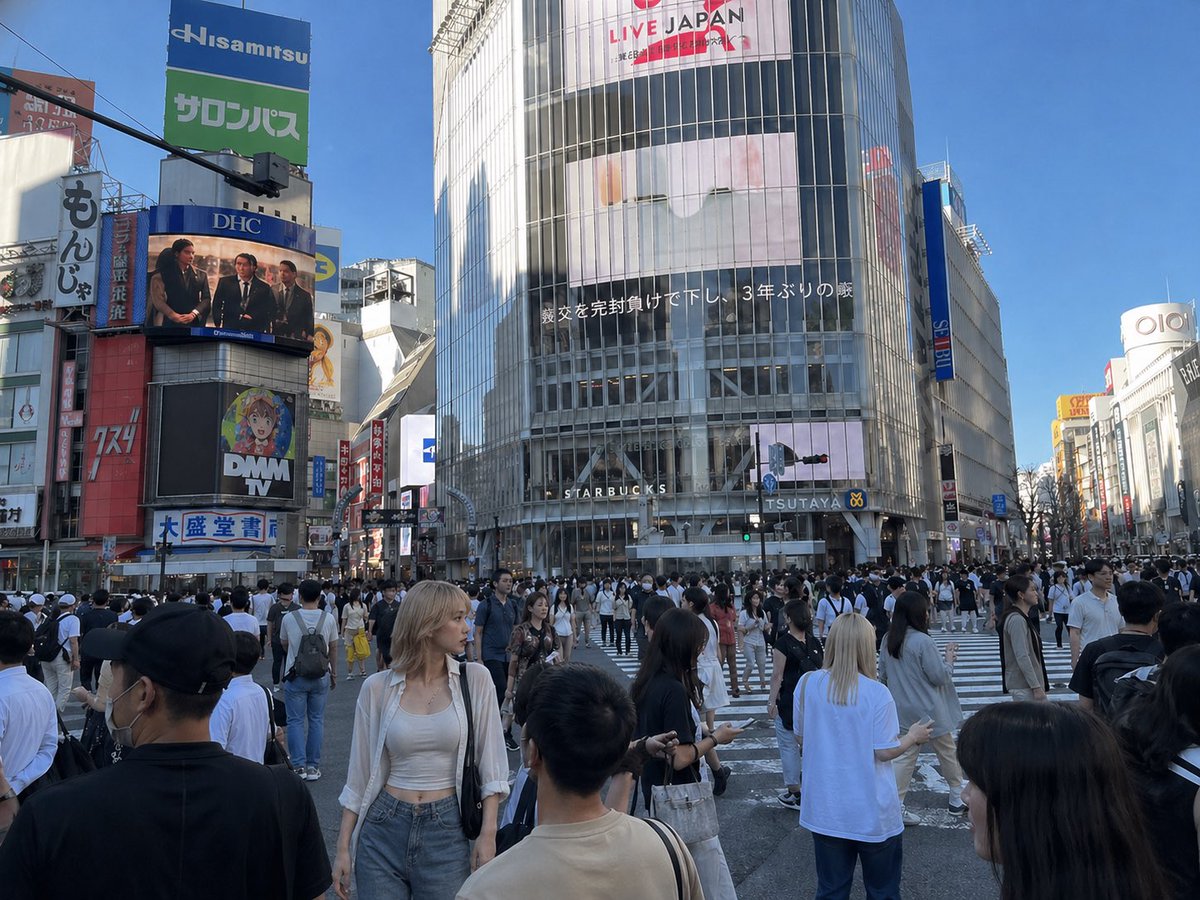
Insert Reference Person Into Shibuya Scene
This prompt composites a person from a reference turnaround image into a real urban crowd photo for natural-looking photorealistic scene integration.
This ui mockup prompt is a strong starting point when you need a composed GPT Image 2 result with a clear subject, visual structure, and reusable style direction.
Aspect ratio
16:9 or 4:3
Quality pass
High detail
Workflow
Use image-to-image when matching an existing layout or subject matters.
Full GPT Image 2 prompt
English prompt
Using REFERENCE_1 as the base scene, naturally insert the woman from REFERENCE_0 into the busy Shibuya Scramble Crossing crowd as a photorealistic passerby. Match the lighting, perspective, lens feel, scale, and street-photo realism of REFERENCE_1, and keep her outfit, bag, and overall appearance consistent with REFERENCE_0. Place her in the foreground slightly left of center, standing among the pedestrians and facing slightly to the left with a relaxed casual posture, as if she was originally photographed there. Integrate her with realistic shadows, color matching, edge blending, and partial crowd occlusion so she does not look pasted in. Preserve the existing city background, signage, and crowd composition from REFERENCE_1.
Related GPT Image 2 prompts
VR Headset Exploded View Poster
Generates a high-tech exploded view diagram of a VR headset with detailed component callouts and promotional text.
Illustrated City Food Map
Generates a hand-drawn, watercolor-style tourist map featuring numbered local food specialties, landmarks, and a legend.
E-commerce Live Stream UI Mockup
Generates a realistic social media live stream interface overlaying a portrait, featuring customizable chat messages, gift popups, and a product purchase card.
Knight-Mage Battles Stone Golem
A cinematic fantasy battle scene for generating epic game-style artwork of an armored heroine fighting a giant stone golem in a ruined cathedral.
Censored Elven Adventurers in Medieval Village
Generates a cinematic fantasy scene of two detailed elven adventurers walking through a medieval village with castle backdrop and obscured faces.
Faceless Cyberpunk Infiltrator
Generates a cinematic anime scene of an armed faceless woman infiltrating a high-security futuristic server room.